
Scaling a healthcare practice from a single office to a multi-location operation is a good problem to have, but it still creates real pressure. As patient volume grows, the schedule has to support more providers, shared rooms, specialized services, rotating shifts, and busier appointment days. What worked for a three-person team — manual spreadsheets, a simple Google Calendar, or a basic booking plugin — becomes harder to sustain once the practice needs a more structured booking system.
At that point, appointment scheduling is no longer just about picking a time slot. It becomes one of the main coordination points of the practice. A missed booking, an unavailable room, or a provider scheduled in the wrong location can disrupt the day for staff, providers, and patients.
The right scheduling software should do more than display appointments. It should help the practice coordinate people, rooms, equipment, locations, services, and real-time availability in a way that keeps daily operations clear and manageable. This article looks at the features growing healthcare practices should expect from appointment scheduling software built for real operational complexity and a better patient experience.
Outgrowing basic booking software? Learn which appointment scheduling features help growing clinics manage providers, rooms, shifts, online booking, billing, and case activity more effectively. 🚀
Flexible Calendars Support Growing Operations
In the early days of a clinic, the calendar is simple. Dr. Smith is in Room A from 9:00 AM to 5:00 PM. Everyone knows the schedule, the room, and the routine.
But as the practice grows, that simple map starts to shift. Specialists may rotate between locations. Rooms may be shared by different providers throughout the day. Equipment may need to be reserved alongside the appointment itself. A calendar can no longer represent only a person’s time. It may also need to represent rooms, equipment, locations, and bookable capacity.
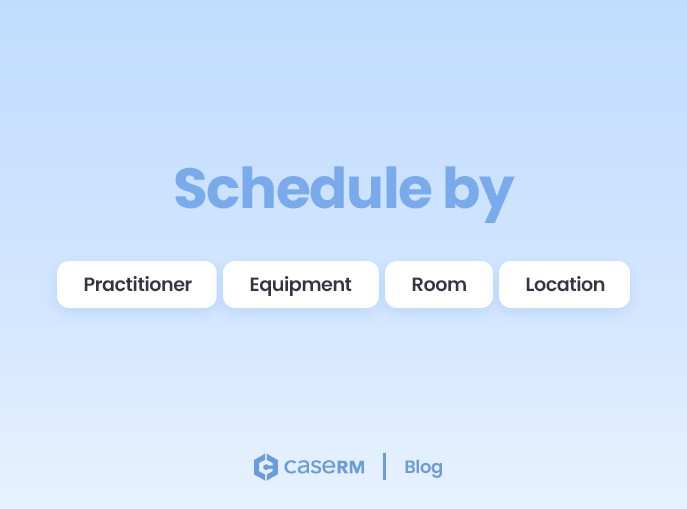
Growing operations require calendars that are flexible rather than rigid. Staff may need to view the schedule by practitioner, by room, by equipment, or by location. In strong practice management systems, this flexibility helps appointment scheduling reflect how the practice actually works.
For example, if a physical therapy practice needs to book a laser therapy session, the booking system should confirm more than provider availability. It should also help staff see whether the right room is open, whether the equipment is available, and whether the selected time slot can support that appointment type.
When scheduling software cannot reflect how the practice operates, staff end up working around the system. That creates delays, missed opportunities, accidental conflicts, underused capacity, and a weaker patient experience when appointments need to be corrected after the fact.
A flexible calendar structure helps staff book appointments with more confidence by showing real-time availability across the resources that matter. The result is fewer double bookings, fewer idle gaps, and a schedule that better reflects what is actually available.
Service-Based Scheduling Improves Accuracy
One of the biggest leaks in a growing clinic’s efficiency is time-slot mismatching. This happens when a 30-minute block is booked for a service that really needs 45 minutes, or when a longer appointment type is placed into a time slot that cannot properly support it. In a small office, this may cause a minor disruption. In a busy multi-provider or multi-location practice, it can throw off the entire day.
Service-based scheduling helps prevent that by building the logic of each session into the booking process. When staff or clients select a specific session, the appointment scheduling workflow should apply the rules already configured for that session, including its default duration, which calendars can accept it, and available time slots.
This matters because different appointment types have different operational needs. An initial assessment may require more time than a follow-up visit. A home visit may involve travel considerations. A Functional Abilities Evaluation may only be available at an assessment centre, while routine treatment sessions may be offered across several clinic locations.
In a multi-location healthcare practice, staff should not have to rely on memory to know which services belong where. If a Home Site Assessment or FAE is only offered at the assessment centre, the booking system should support that rule and prevent the service from being booked into a regular treatment location.
Service-based scheduling also helps with resource allocation. If a treatment requires a specific room or piece of equipment, the system should help guide the appointment toward calendars that can actually support it. That reduces the mental load on administrative staff and helps prevent clinically or logistically mismatched bookings.
This is where service-based scheduling becomes more than a convenience. It protects provider time, helps streamline daily scheduling, and creates a more predictable patient experience when staff or patients book appointments.
Efficient Shift Management Reduces Administrative Work
As a healthcare practice adds more providers, locations, and appointment types, managing the “who, where, and when” of the schedule becomes a serious operational task. You are no longer just managing individual calendars. You are managing shifts, coverage, real-time availability, and bookable time across the practice.
A practitioner may work Monday and Wednesday at one location, then Tuesday and Thursday at another. Another provider may work part-time, rotate between locations, or cover specific services only on certain days. Staff take vacations. Hours change. New providers join the team. Very quickly, availability becomes too important to manage by memory.
A strong booking system should treat shifts as the foundation of appointment scheduling. Availability should be shaped by provider schedules, locations, and coverage requirements — not by manually opening and closing appointment slots one at a time. Without integrated shift management, managers end up editing calendars individually and constantly checking whether the schedule still reflects reality.
That kind of calendar policing may work for a small team, but it does not scale.
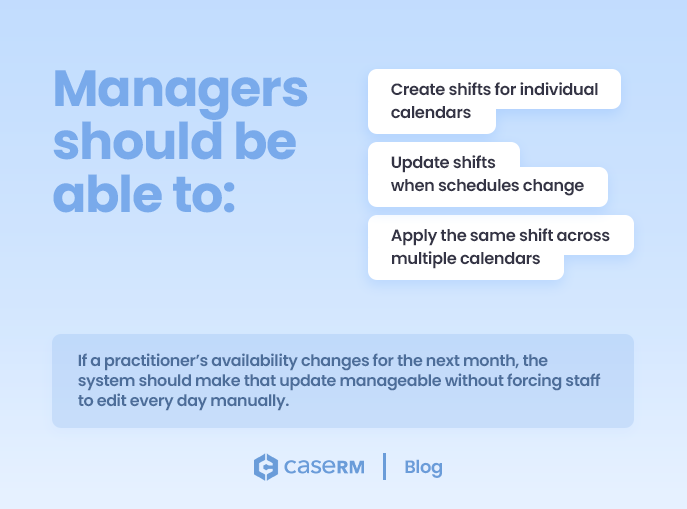
To support growing operations, managers should be able to create shifts for individual calendars, update shifts when schedules change, and apply the same shift across multiple calendars when several providers work similar hours. If a practitioner’s availability changes for the next month, the system should make that update manageable without forcing staff to edit every day manually.
Good shift management keeps availability clean. It helps streamline scheduling administration, reduces avoidable booking errors, and gives the practice better control over a schedule that naturally becomes more complex over time.
Online Booking Should Work for Both Clients and Staff
Online booking is often treated as a self-scheduling convenience for patients. That is true, but it is only half the picture. A good online scheduling experience should make it easier for patients to book appointments, while also protecting the practice from extra administrative cleanup behind the scenes.
For the client, the booking experience should be simple and user-friendly. Patients should not have to navigate a maze of services, providers, and locations just to find the right appointment. If they select a specific service or appointment type, the booking page should guide them toward the calendars that can accept that session and show available time slots that can be booked.
This matters even more in a multi-location healthcare practice. If a service is only available through certain calendars, the booking system should not leave patients guessing. It should help prevent someone from booking an appointment into the wrong location or with the wrong provider, only to be contacted later and asked to reschedule.
But online booking is not only about what the patient sees. Behind the scenes, the booking software should support clean workflows and reliable data. When patients book online, the system should help connect the booking to the right client record, instead of creating duplicate profiles that staff have to fix later.
The practice should also control which sessions are available for online scheduling, which calendars accept online bookings, and how appointment notifications are handled. New booking confirmations, automated reminders, cancellations, rescheduled appointment notices, and no-show notifications should all work naturally within the appointment scheduling workflow.
Online booking should streamline scheduling for patients and staff. It should not create another queue of disconnected requests for the front desk to clean up later.
Fast Appointment Booking Matters More Than Many Clinics Realize
A booking system can have strong features and still fail in daily use if booking an appointment feels slow, awkward, or cluttered.
Front-desk staff work in real time. They answer phones, greet patients, manage check-in, respond to providers, handle payments, cancel appointments, and adjust schedules throughout the day. In that environment, every unnecessary click adds friction.
Appointment scheduling should feel natural. Staff should be able to book appointments, reserve time for a break, move an appointment, copy it to a future date, or create recurring appointments without a complicated workaround.
Recurring appointments are especially important for clinics that provide ongoing care. A patient may need treatment twice a week for several weeks, a weekly follow-up, or a repeating series of visits on specific days. Instead of manually creating each appointment one at a time, the booking system should allow staff to create a recurring appointment from an existing visit by setting the frequency, skip pattern, and days of the week. That helps streamline repetitive scheduling while keeping staff in control.
This is where the practical design of the scheduler grid matters. Staff should be able to see each calendar clearly, identify available time slots, and understand which providers, rooms, or resources are available on the displayed day. If a calendar has no shift, it should not look the same as a calendar that is actively available. If a time slot falls outside a provider’s working hours, that should be visually clear.
Small workflow details make a major difference. A quick way to return to today’s date matters when staff are navigating future schedules. The ability to add a quick appointment note matters when details need to be captured immediately. A simple option to send or skip a new appointment notification matters when staff need control over patient communication.
These are not flashy features, but they are the details that make booking software feel user-friendly in real clinic operations. Fast appointment booking helps streamline the front desk, reduce frustration, and keep the schedule moving.
Visibility Helps Staff Make Better Scheduling Decisions
Booking an appointment is easier when staff can see the information that matters.
In many practices, patient scheduling happens with incomplete context. A staff member may book a client without noticing an outstanding balance. A provider may not see a pattern of missed appointments. An administrator may have to leave the schedule to confirm payer details, check upcoming visits, or review account notes.
That kind of fragmentation slows the front desk and increases the chance of avoidable mistakes.
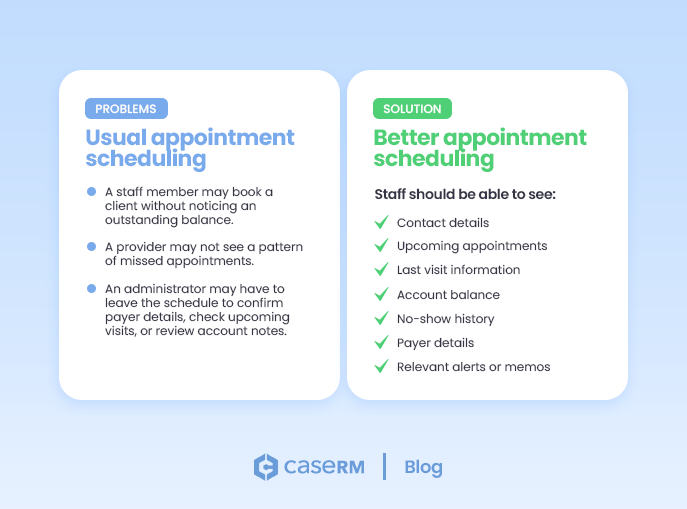
A better appointment scheduling workflow brings key client information into view at the time of booking. Staff should be able to see contact details, upcoming appointments, last visit information, account balance, no-show history, payer details, and relevant alerts or memos without searching across multiple screens.
If a client has missed several appointments, staff can address that pattern before booking another visit. If there is an outstanding balance, it can be handled before it becomes a larger collection problem. If the client already has an upcoming appointment, staff can avoid accidental duplicate bookings.
Good scheduling is not just about real-time availability. It is about context. The more context staff have while they book appointments, the fewer surprises the practice has to deal with later.
Finding Availability Quickly Becomes Essential
As the schedule fills up, finding an open time slot becomes harder.
In a small practice, staff can often scan the calendar and find an opening. In a larger healthcare practice with multiple providers, rooms, appointment types, and locations, that approach becomes inefficient. Real-time availability may exist, but it can be buried inside a busy scheduling grid.
A strong appointment scheduling system should help staff find available time instead of forcing them to hunt for it manually.
This is especially important when the appointment requires a specific session. If a client needs a particular service, the booking system should help staff identify which calendars can accept that session and where an available time slot exists. Staff should not have to check every provider or calendar one by one.
This is where “find time slot” functionality becomes valuable. It helps staff locate openings faster, especially when the schedule is busy. When the selected session draws attention to calendars capable of accepting that appointment type, the booking process becomes more focused, user-friendly, and less frustrating.
For a growing practice, this can save significant time throughout the day. It also improves the patient experience because staff can offer appointment options faster and help clients book appointments with more confidence.
Multi-Calendar Coordination Keeps Clinics Organized
Once a practice has multiple providers, rooms, and resources, the scheduler needs to show more than a list of appointments. It needs to show how the day is actually taking shape.
A clear column for each calendar helps staff understand the schedule at a glance. One calendar may represent a provider. Another may represent a room. Another may represent a piece of equipment. Together, these calendars show the moving parts that need to stay coordinated throughout the day.
Good visual design matters. Calendars with active shifts should be easy to identify. Calendars without shifts for the displayed date should not create unnecessary clutter. Time slots outside a calendar’s availability should be clearly marked, so staff know what can and cannot be booked.
This visibility reduces scheduling mistakes and supports a more user-friendly appointment scheduling workflow. Staff can see which providers are active, which rooms are available, where pressure is building, and where the schedule still has room to move.
In a growing healthcare practice, the scheduler grid should not feel like a crowded wall of appointments. It should help staff understand the day, coordinate resources, and book appointments with greater confidence.
Smooth Appointment-to-Billing Workflows Matter
A scheduled appointment is a promise of revenue. A completed billing cycle is the realization of it. In a growing healthcare practice, the gap between appointment scheduling and invoicing is where revenue can be delayed, missed, or cleaned up manually later.
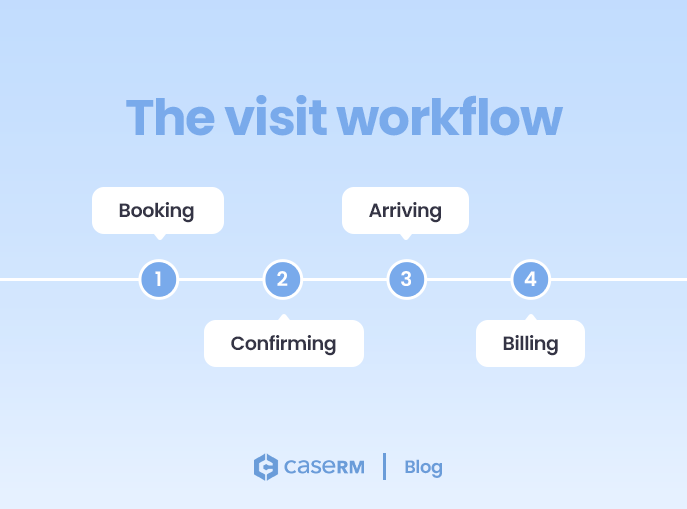
The visit workflow should be simple: the client books, confirms, arrives, receives care, gets billed, and payment is recorded. But that simple path becomes harder to manage when the booking system and billing workflow are disconnected.
A strong appointment workflow should move naturally through the operational steps of the visit. Booked should lead to confirmed. Confirmed should lead to arrived. Arrived should lead to billing. Billing should lead to collection.
The arrival step confirms that the appointment actually happened. The billing step turns the delivered service into a charge or invoice. The collection step completes the financial workflow by recording or tracking payment.
Many practice management systems pay attention to booking but give less attention to confirmation, arrival, billing, and collection. That creates gaps. A confirmed appointment gives staff better visibility into the day. An arrived appointment creates a cleaner handoff into billing. A connected billing workflow helps prevent missed charges, delayed invoices, and unnecessary follow-ups.
Billing flexibility also matters. In some healthcare practices, an appointment may be booked into a physiotherapist assistant’s or kinesiologist’s calendar, but the billing provider may need to be different. The ability to change the billing provider when recording a charge or issuing an invoice can remove unnecessary friction.
The same applies when one appointment includes more than one service. The appointment scheduling and billing workflow should support that reality instead of forcing staff into awkward workarounds.
The best booking software does not stop at the calendar. It supports the full operational path from booking to arrival, billing, and collection.
Case-Centric Scheduling Supports Complex Care
Most scheduling systems are built around the client or patient. That works well when each person has one straightforward care relationship with the practice. But many healthcare practices manage more complex situations.
A client may have more than one active case. One case may relate to a motor vehicle accident. Another may relate to a workplace injury. Another may relate to private treatment. The same person may need appointments under different case files, with different payers, providers, documentation, and billing requirements.
In that environment, booking only against the client is not enough. The appointment needs to belong to the right case.
Case-centric appointment scheduling helps the practice keep that context clear. When a client is being treated under multiple cases, staff should be able to book appointments under the correct case file. One appointment may relate to one case on Monday, while another appointment relates to a different case later in the week. In some situations, the same client may even have more than one visit on the same day, each tied to a different case.
This matters because scheduling affects documentation, billing, payer responsibility, reporting, and case history. If the appointment is tied to the wrong case, the downstream workflow becomes messy. Chart notes may be filed under the wrong context. Billing may point to the wrong payer. Staff may have to spend extra time correcting details that should have been clear at the time of booking.
A case-centric booking process helps keep the appointment connected to the proper operational context. It also helps staff open the relevant case file directly from the appointment, search appointments by case file, and maintain a clearer history of what happened under each case.
For growing practices, this is where patient scheduling becomes more than appointment management. It becomes part of case management.
Look Beyond the Calendar
The best online appointment scheduling software for growing healthcare practices does more than fill time slots.
It helps coordinate providers, rooms, equipment, services, shifts, online booking, client communication, billing workflows, and case activity. It gives staff the visibility they need to make better decisions and the structure they need to keep daily operations consistent as the practice grows.
A basic calendar may work in the early days. But once the practice adds more providers, more appointment types, more locations, and more operational complexity, scheduling needs to do more of the heavy lifting.
Growth exposes weak systems quickly. The right booking system helps a healthcare practice stay organized, reduce avoidable friction, and keep the day moving without forcing staff to constantly work around the software.
As you evaluate your options, look past basic booking features. Look for practice management software that supports the real work behind the schedule: who can provide the service, where it can be booked, which calendars are available, how staff communicate with patients, and how appointments move into billing and follow-ups.
The best scheduling software supports the full appointment workflow without getting in the way. It helps staff book appointments with confidence, keeps the patient experience clear, and gives the practice a stronger foundation for growth.