In a busy clinic or wellness practice, your appointment calendar isn’t just a list of timeslots – it’s the central hub for tracking patient visits, coordinating staff, and managing billing. A well-structured system of appointment states (or statuses) ensures that every member of your team can instantly understand where an appointment stands, what’s been done, and what still needs attention.
Appointment states are small but powerful markers that communicate important details about each visit. They help track attendance, indicate progress through the patient journey, and connect the appointment to administrative processes like billing or follow-up. When used consistently, statuses make it much easier for staff to navigate a busy schedule and avoid mistakes.
Core Appointment States
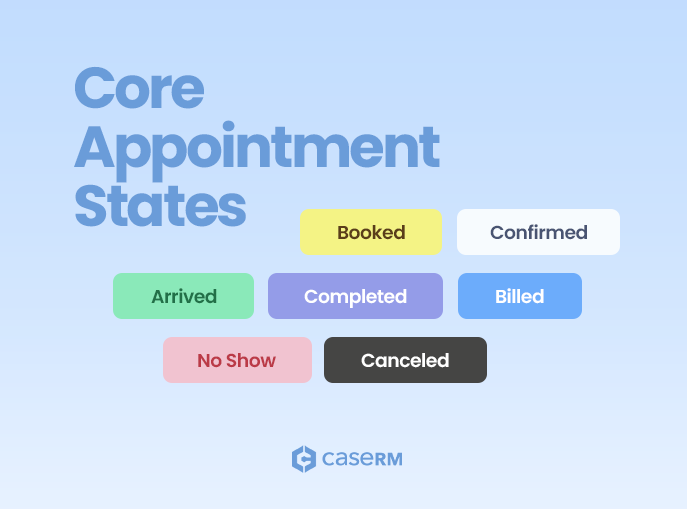
While the exact set of statuses may vary by practice management software, most health and wellness clinics rely on a core set of appointment states:
- Booked – The appointment has been scheduled but not yet confirmed.
- Confirmed – The patient has confirmed their attendance, often via phone, email, or SMS.
- Arrived – The patient has checked in and is in the clinic for their scheduled visit.
- Completed – The visit has concluded, any required post-treatment steps have been taken, and there’s no further action for that appointment.
- Billed – An invoice has been issued or submitted for the appointment.
- No Show – The patient did not attend the appointment without canceling in advance.
- Canceled – The appointment was canceled ahead of time.
How These Statuses Work in Practice
Booked This is the default state when a new appointment is created. It’s essentially “reserved” in the calendar but hasn’t been confirmed. Some clinics also refer to this as Scheduled or Unconfirmed.
Confirmed This status tells staff that the patient intends to attend. Confirmations help reduce no-shows and are especially valuable in settings like assessment centers or busy multi-practitioner clinics.
Arrived Also known as Checked-In, this marks that the patient is physically present and ready for treatment. It’s often the trigger for providers to begin their session.
Completed In many clinics, “Completed” means the patient has finished their appointment, rebooked if needed, and any administrative wrap-up for the visit is done. However, definitions can vary — in some practices, “Completed” includes billing, while in others it does not. Clarifying this is crucial to avoid confusion.
Billed While not always included in software by default, this status (or flag) is incredibly valuable. It marks that invoices for the appointment have been created and submitted — whether for direct payment, insurance, or third-party billing systems like TELUS eClaims, WSIB or HCAI. In some clinics, “Billed” happens the same day; in others, it’s part of a batch process days or weeks later.
No Show Also called Missed, this status is important for both reporting and billing. Many clinics still consider a no-show billable, especially if there’s a cancellation policy.
Canceled Indicates that the appointment was called off in advance. Some practices distinguish between Late Cancellation and Canceled, especially if administrative fees differ.
Customizing and Extending Statuses
Some practice management platforms allow you to create custom appointment states, such as:
- Late Cancellation – Tracks last-minute cancellations separately from standard ones.
- In Progress – For longer visits, to show that the patient is mid-treatment.
While custom statuses can be helpful, their effectiveness depends on how well the system integrates them into reports, billing rules, and automatons.
Visual Indicators for Quick Recognition
Appointment states don’t just live in text form. Different systems use different visual cues:
- Icons – Symbols to show arrival, billing, or missed appointments.
- Color-coded blocks – Each status gets its own color for fast scanning.
- Text labels – Status spelled out directly in the appointment block.
These visual aids are critical when scanning a busy schedule — they allow staff to identify issues or next steps at a glance.
Why Appointment States Matter
Your calendar isn’t just for booking patients — it’s a live snapshot of your operations.
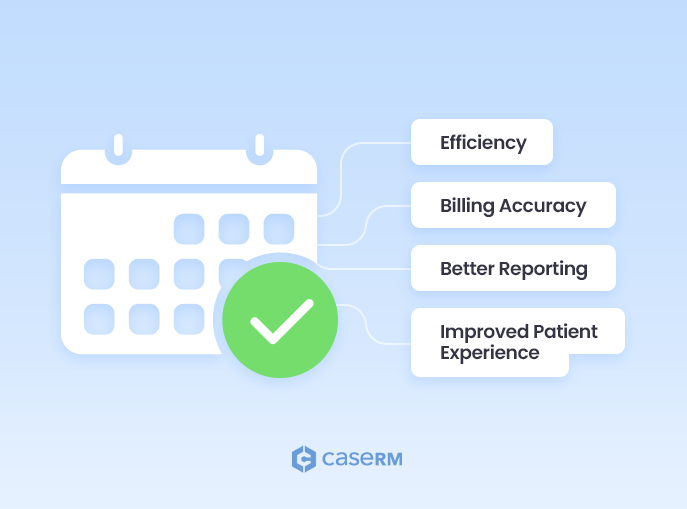
Clear and consistent appointment states provide benefits across the entire practice:
- Efficiency – Staff can see at a glance which appointments are confirmed, arrived, or awaiting billing.
- Billing Accuracy – Differentiating between “Completed” and “Billed” ensures that no visits are missed in the invoicing process.
- Better Reporting – Tracking appointment states over time can reveal trends in no-shows, cancellations, and patient attendance.
- Improved Patient Experience – Smoother check-ins, timely follow-ups, and fewer scheduling errors contribute to patient satisfaction.
Because some statuses are considered billable (like Arrived and No show) and others aren’t, setting them correctly is key to accurate invoicing and financial reporting.
Connecting Appointment States to Billing and Reporting
Well-defined appointment states don’t just keep the schedule organized — they also ensure billing and reporting remain accurate. When each status reflects a clear stage in the visit, it becomes easier to:
- Track how many appointments reach each stage of the process.
- Identify trends in cancellations, no-shows, and patient flow.
- Align billing workflows with appointment completion, so no visits are overlooked.
This alignment between scheduling and financial records helps maintain operational clarity and supports consistent revenue tracking.
Making Your Schedule Work for You
Your calendar is one of the most valuable tools for both practitioners and administrative staff. Appointment states turn it into more than just a scheduling space — they make it a live, accurate representation of your clinic’s operations.
A well-structured appointment workflow typically moves from Booked > Confirmed > Arrived > Completed with No Show and Canceled statuses handling exceptions. The key is clarity: every status should tell your staff exactly what has happened and what still needs to happen for that appointment.
By defining and using your appointment states consistently, you improve efficiency, billing accuracy, and the patient experience — all with just a glance at your schedule.