There’s a difference between software that stores information and software that holds the day-to-day operation of a modern medical practice together.
For a long time, clinics got by with systems that handled scheduling, basic charting, and some level of billing. That was enough—until it wasn’t.
As clinics grow, the cracks start to show. Scheduling becomes harder to manage. Documentation slows providers down. Billing turns into a separate workflow. Reporting and visual dashboards become an afterthought. Staff start working around the system instead of using it.
At that point, the issue isn’t missing features. It’s that the system was never designed to support the way work actually flows through the clinic.
This article isn’t a checklist. It’s a look at what a modern practice management system should be doing if it’s going to stand up over time.
When care is managed case by case, the whole practice gains better context. See how CaseRM’s case-centric approach connects appointments, documentation, billing, contacts, and communication around each case. 🚀
Cloud-Based Access Without Device Dependency
A modern practice management system should be accessible from anywhere the work needs to happen.
That means a browser-based platform that works across desktops, laptops, tablets, and smartphones without requiring software installation. This matters more than it may seem at first. Clinics should not have to depend on one workstation, one office computer, or one installed application just to access the information they need.
For small clinics, this reduces IT overhead. There is less to install, less to maintain, and fewer device-specific issues to manage. For growing clinics, especially multi-location practices, browser-based access becomes even more important. Healthcare providers and staff may work across different branches, and the software needs to support that movement without forcing people to switch systems, log into separate environments, or rely on local machines.
Mobile access also matters. Not every task needs to be done from a desktop computer. A provider may need to check a schedule, review a case file, or confirm appointment details from a mobile device. A clinic manager may need visibility into operations while away from the front desk. The system should support that flexibility without turning the mobile experience into a stripped-down afterthought.
This does not mean every administrative setting must be available on a phone. Some configuration work is better suited to a desktop environment. But daily operational access should not be tied to one device.
The principle is simple: the clinic’s information should be available where patient care and the work happens.
Scheduling as the Operational Core
In a clinic, everything starts with the calendar.
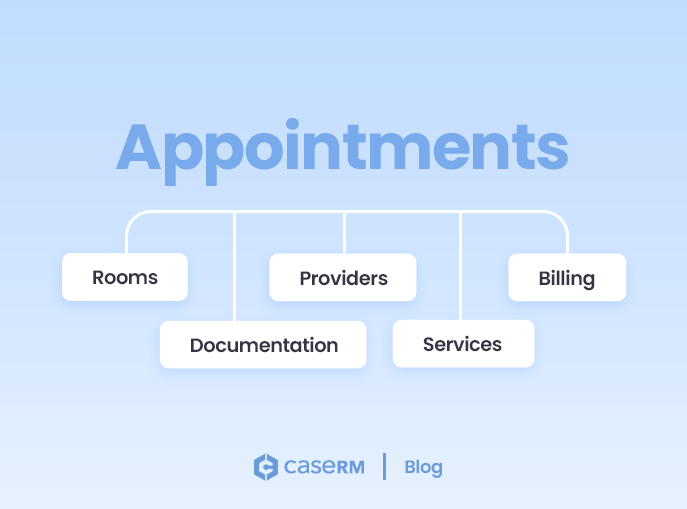
Appointments aren’t just time blocks—they connect providers, rooms, services, documentation, and billing. When scheduling is weak, the problems don’t stay contained. They spread.
A double-booked provider can disrupt an entire morning. A missed room assignment can delay appointments and back up the front desk. A cancellation can go unfilled because staff did not have clear visibility into availability. These are not isolated scheduling mistakes. They affect patient experience, provider productivity, billing activity, and revenue.
That is why modern scheduling needs to go beyond basic appointment booking. Staff should be able to see real-time availability across multiple provider calendars. In multi-location clinics, a provider may need a separate calendar for each branch, each with its own shift and availability. Rooms and equipment may also need dedicated calendars so the clinic is not only scheduling people, but also managing the resources needed to deliver care.
A strong scheduling system should also support disciplines or service capabilities. Not every provider can perform every service, and not every calendar should accept every session type. The system should help prevent scheduling mistakes by making availability and patient eligibility meaningful, not just visible.
Online booking also needs to be part of the equation. Whether built in or added as a module, it should be integrated into the same scheduling structure. Patients expect to book outside of business hours, and clinics that do not support that are likely missing potential bookings.
The value of online booking increases when it is connected to a secure client portal. Clients should be able to view upcoming appointments, cancel or reschedule when allowed, and complete required forms such as intake or consent forms. Over time, portals can also support broader patient engagement functions such as document uploads, invoice viewing, payments, and access to selected treatment information.
The bigger point is this: scheduling is not just about booking appointments. It is about controlling how work moves through the practice.
When the calendar is structured properly, everything downstream becomes easier to manage.
Case File Management That Matches Real Workflows
Most systems are built around patients. That approach seems reasonable at first. In practice, it leads to friction.
A patient profile tells you who the person is.
A case file tells you what is happening, why it is happening, who is involved, and what needs to happen next.
A patient is not always a single workflow. One person may have multiple episodes of care, different injuries, different payers, different timelines, different documentation requirements, and different contacts involved. When all of that information is grouped loosely under one patient profile, the system becomes harder to manage as the relationship grows.
This is where case file management becomes important.
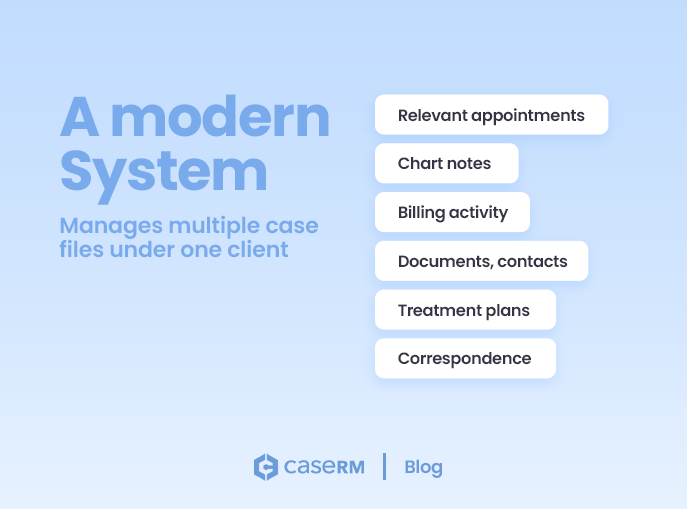
A modern system should allow clinics to manage multiple case files under one client. Each case file should hold the relevant appointments, chart notes, billing activity, documents, treatment plans, contacts, and correspondence. That structure gives the clinic a clearer operational picture.
For example, a patient may have one private treatment case and later open a separate case related to an auto accident, workplace injury, or extended health claim. Those cases may involve different forms, reports, contacts, billing rules, and treatment expectations. Treating them as one undifferentiated record creates confusion.
Custom case types add another layer of flexibility. Clinics should be able to define the kinds of cases they manage, such as private care, extended health, motor vehicle accident, workplace injury, OHIP-related care, or other internal categories. Even if the billing rules are not all automated on day one, the system should be structured in a way that can grow into those workflows.
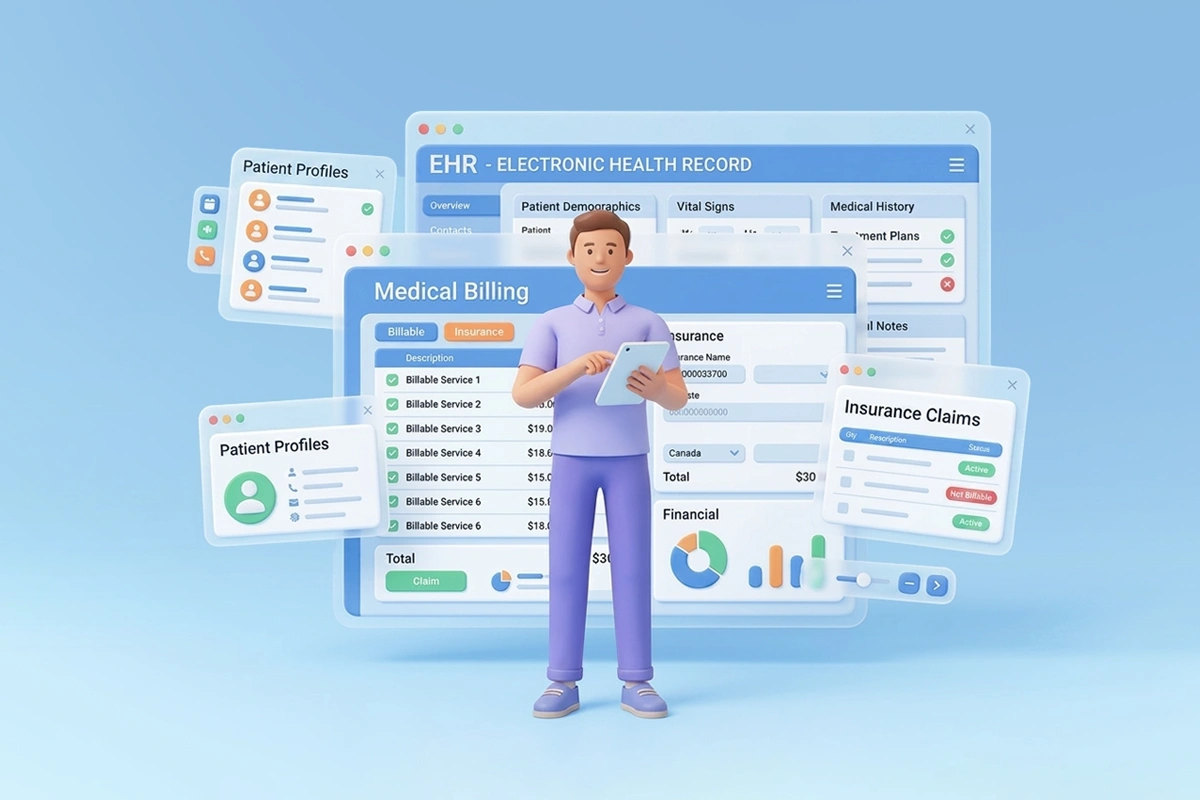
This is one of the biggest differences between basic electronic health records (EHR) that store patient data and software that supports actual case management.
A patient profile tells you who the person is.
A case file tells you what is happening, why it is happening, who is involved, and what needs to happen next.
That distinction becomes more important as clinics grow.
Case Contacts, Correspondence, and Relationship Tracking
Real healthcare work involves more than the patient and provider.
A case may involve family members, emergency contacts, legal representatives, employers, family physicians, referral sources, insurers, or other stakeholders. These people do not always belong directly to the patient profile in a simple way. Their relevance may depend on the specific case.
That is why case-specific contacts matter.
A modern system should allow clinics to attach contacts to a case file and define their relationship type. This keeps the context clear. A lawyer may be relevant to one case but not another. An employer may be connected to a workplace injury but not to unrelated private care. A family member may be involved in communication for one episode of care but not all future interactions.
Correspondence logs are equally important. Phone calls, notes, updates, and other communications should be recorded in the case file where they belong. Even when correspondence is entered manually, it creates operational continuity. Staff can see what was discussed, when it was recorded, and whether updates were made later.
This is not just administrative detail. It prevents confusion.
When correspondence is scattered across inboxes, paper notes, memory, and disconnected systems, the clinic loses context. When it is tied to the case file, the next person who opens that file can understand what happened before.
That is how software supports continuity instead of forcing staff to reconstruct history.
Centralized Data with a Global Address Book
Contact information should not be recreated every time it appears in a new workflow.
In many systems, the same person or organization can end up stored in multiple places: one version under a patient, another under a referral source, another under billing, and another in a separate contact list. Over time, those records drift apart. One phone number gets updated. Another does not. One spelling is corrected. Another remains wrong.
A global address book solves this problem by centralizing contact information.
When a contact is created once, it should be reusable across the system. The same physician, lawyer, insurer, employer, or family member can be attached to multiple case files without being recreated each time. For multi-location clinics, contacts should remain available across the tenant while still respecting permissions and access rules.
This improves accuracy, reduces duplicate data entry, and makes contact lookup easier.
It also supports better relationship management. A clinic is not only managing patients. It is managing a network of people and organizations connected to care delivery, billing, communication, and administration.
That network belongs in the system—not in spreadsheets, inboxes, or staff memory.
Clinical Documentation That Works at Speed
Clinical documentation needs to be structured enough to support consistency, but flexible enough to reflect real care.
A modern system should support SOAP-style charting, configurable templates, and different documentation tools for different clinical needs. Providers should be able to work from templates, duplicate and modify them, and create specialty-specific structures where needed.
But documentation cannot become so rigid that it slows providers down.
Good charting tools allow both structured input and narrative detail. A provider may need standardized fields for consistency, but also free-text areas for observations, clinical reasoning, and patient-specific details. Visual tools such as body charts, spine charts, notepads, and drawing tools can also be useful, especially when providers need to document location, movement, pain areas, or physical findings.
The practical test is simple: does the documentation tool support the provider’s workflow, or does the provider have to fight the tool?
If charting is slow, providers delay it. If it is too rigid, notes become incomplete or awkward. If information is hard to find later, the value of documentation drops.
Modern charting should not only help clinics record care. It should help them retrieve, understand, and use that information when needed.
Data Capture and Documentation: Forms and Documents Working Together
There is an important difference between forms and documents.
Forms are designed to capture structured data. Intake forms, consent forms, referral forms, and assessment forms collect specific information in a consistent way. They are especially useful when patients can complete them online before the appointment.
Documents are different. They are often narrative. Assessment reports, progress reports, letters, summaries, and formal communications require formatting, explanation, and professional presentation.
A modern practice management system should support both.
Online forms should be reusable across workflows and case types. They should be easy to publish through a clinic website or secure portal. Over time, submitted forms should be able to support stronger workflows, such as creating a new case file, attaching information to an existing case, or triggering internal review steps.
Rich text document creation is just as important. Clinics should not have to rely on desktop word processors or disconnected third-party tools to create assessment reports and progress reports. Those documents belong inside the case file, where they can be connected to the client, the case, the treatment history, and the relevant clinical information.
This is where many systems fall short. They may handle charting, but not formal documents. Or they may store uploaded documents, but not help create them. That leaves staff copying information between systems, downloading files, renaming documents, uploading PDFs, and trying to keep track of versions.
A better system lets clinics create, manage, sign, export, and store documents within the same case structure.
That is not a small convenience. It is a major step toward keeping clinical and administrative work connected.
Treatment Plans That Support Care Continuity
Treatment plans are often treated as documents or notes. They should be more than that.
A treatment plan should help the clinic manage the course of care. It should identify what has been proposed, how many visits are expected, how much of the plan has been used, and when reassessment may be needed.
This is especially important in clinics that manage structured episodes of care. If a treatment plan includes a proposed number of visits, the system should help count down those visits as appointments are completed. When the plan is nearing completion, the clinic should receive automated reminders that reassessment may be required.
Without that structure, treatment plan tracking often depends on memory, manual review, or last-minute discovery. That is not reliable.
A strong treatment plan workflow helps providers and administrators stay ahead of the case. It supports better planning, cleaner communication, and fewer surprises.
This is one of the most overlooked areas in practice management software. Many systems can schedule visits and store notes, but fewer systems help manage the treatment lifecycle itself.
And that lifecycle is where much of the real operational work happens.
Billing That Follows a Clear Workflow: Arrive, Bill, Collect
Billing should follow the work being performed in the clinic.
A clear workflow matters. A patient arrives. A service is recorded. A charge is added. The charge becomes part of an invoice. The invoice is paid. The payment is recorded against the case.
That sequence sounds obvious, but many systems do not handle it cleanly.
A strong system should support an operational flow such as arrive, bill, collect. When a booked session has billing items attached, the system should be able to add default service charges to the case file. Staff should still have control to review and adjust those charges before billing, because real-world billing is not always automatic or perfectly predictable.
The billing step should be intentional. Instead of automatically forcing an invoice at the wrong time, the system should allow users to create invoices based on unbilled charges and make changes where needed. That gives clinics both structure and control.
Payment status should also be visible from the case file. Once payment is recorded, staff should not have to search elsewhere to understand what remains outstanding. Invoices should be easy to view, send, and manage.
This kind of workflow reduces missed charges, delayed invoicing, and manual cleanup.
Billing should not feel like a separate administrative chore. It should be the natural financial result of the care that was delivered.
Flexible Invoicing for Real Clinic Scenarios
Clinic billing does not always fit neatly into one appointment, one service, one provider, one invoice.
A patient may receive several services over different dates. Multiple practitioners may contribute to care. Charges may accumulate before an invoice is created. The clinic may need to bill several services together for administrative simplicity or to align with payer requirements.
Modern software should support that reality.
A strong invoicing system should allow multiple services on a single invoice, including services from different dates and different providers, when they belong to the same case. Services can be sorted clearly by date so the invoice remains understandable.
This flexibility matters because rigid billing structures create unnecessary work and can delay reimbursement. If a system forces one service per invoice or makes multi-provider billing difficult, the clinic ends up adapting its process to the software instead of the other way around.
That is backwards.
Billing software should reflect how clinics actually deliver and charge for care.
Financial Structure That Extends Beyond Billing
Most practice management systems stop at invoicing.
That is not enough.
Invoicing tells you what was charged. Payment tracking tells you what was collected. But neither one, by itself, gives the clinic a structured financial picture.
A stronger system includes an accounting layer behind the scenes. Revenue and expenses should be categorized into ledger accounts such as assets, liabilities, income, and expenses. Even if the accounting system is lightweight, it should follow proper accounting logic so financial activity is organized from the start.
This matters because clinics eventually need more than invoice lists. They need financial visibility. They need cleaner reporting. They need data that can connect with professional accounting systems such as QuickBooks Online.
The purpose is not to replace the accountant. The purpose is to keep operational financial data clean enough that accounting integration becomes easier, more accurate, and less dependent on manual reconstruction.
This is another area where many systems fall short. They handle billing, but not financial structure. That gap may not be painful at the beginning, but it becomes more obvious as the clinic grows.
A modern practice management system should not treat accounting as an afterthought.
Multi-Location Management on a Single Account
Growth changes everything.
A clinic with one location may be able to tolerate workarounds. A clinic with multiple locations cannot. The system needs to support growth without forcing each branch into a separate operational silo.
A modern system should allow multiple locations under one account, while keeping the database centralized for that clinic organization. Team members should be managed across locations. Providers should be able to work at different branches without logging out or switching systems. Calendars should reflect location-specific availability while still fitting into the broader scheduling structure.
Reporting should also support both views: the whole organization and individual locations. A clinic owner or manager may need to see overall performance, but also filter revenue, appointments, or financial activity by branch.
Permissions matter here. Not every user should see every calendar, every location, or every piece of information. Multi-location support is not just about adding another address. It requires thoughtful access control and operational visibility.
A system that cannot support this will eventually limit the clinic’s growth.
Integration with Business-Critical Systems
No practice management system exists in isolation.
Clinics use accounting platforms, marketing tools, communication systems, payment processors, billing gateways, and other specialized tools. The question is not whether outside systems exist. They do. The question is whether the practice management system connects to them intelligently or forces staff into manual workarounds.
Marketing is a good example.
Instead of trying to build every marketing feature directly into practice management software, it often makes more sense to integrate with professional marketing platforms that are built specifically for email design, contact segmentation, campaigns, and list management. When contacts can sync according to user-defined settings, the clinic benefits from specialized marketing tools without losing control of its core data.
Accounting integration works the same way. A practice management system can organize billing and financial activity properly, then connect that data to a professional accounting platform.
The goal is not to cram every possible tool into one system. The goal is to optimize and streamline operations and avoid fragmentation.
Modern systems should integrate where it makes sense, while keeping the clinic’s core operational data structured and reliable.
AI and Automation That Support Real Work
AI is becoming part of healthcare software, but clinics should be careful about hype.
The first wave of AI in practice management will likely focus on documentation: drafting notes, summarizing information, helping providers create cleaner records faster. That is useful, but it is only the beginning.
The bigger opportunity is operational.
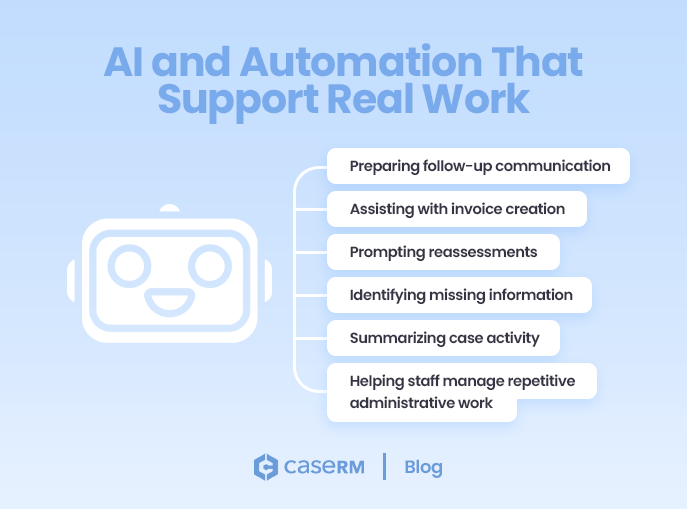
AI and automation should eventually help with routine administrative tasks such as preparing follow-up communication, assisting with invoice creation, identifying missing information, prompting reassessments, summarizing case activity, and helping staff manage repetitive administrative work.
The important point is that AI should not sit outside the workflow. It should operate within the structure of the system. If the system already understands cases, appointments, documentation, billing, contacts, correspondence, and treatment plans, then AI can eventually act on meaningful context.
If the system is fragmented, AI has less to work with.
That is why architecture matters. The future of AI in practice management will depend less on flashy features and more on whether the underlying system is organized enough to support intelligent action.
User Experience That Supports Daily Work
User experience is not decoration. It is workflow.
Every extra click matters. Every confusing screen matters. Every overloaded interface adds time and increases the chance of mistakes.
In a clinic, small inefficiencies multiply quickly. A front-desk user may perform the same task dozens of times a day. A provider may chart repeatedly between appointments. A manager may move between schedules, case files, billing records, and reports. If the interface is cluttered or inconsistent, the system slows everyone down.
A modern system should be clean, user-friendly, direct, and easy to understand. That does not mean oversimplified. It means the interface should respect the user’s time.
Minimalist design has operational value. It reduces training effort, improves adoption, and helps staff focus on the work instead of the software.
A system can have many features and still feel organized. The difference is thoughtful design.
Security, Permissions, and Operational Control
Healthcare software needs to be convenient, but it also needs to be controlled.
Browser-based access, patient portals, online forms, and multi-location operations all increase flexibility. They also increase the importance of security, permissions, and proper access management.
A modern system should support controlled access to sensitive information. Users should only see what they are allowed to see. Calendar visibility, case file access, financial data, administrative settings, and location-based information should be governed by permissions.
This becomes even more important as clinics grow. A small clinic may manage access informally. A multi-location clinic cannot rely on informal rules. It needs system-level controls.
Security is not just a technical feature. It is part of operational trust.
Patients expect their information to be handled responsibly. Clinics need confidence that staff can do their work without exposing information unnecessarily. Regulatory expectations, such as HIPAA compliance, will continue to evolve, and systems need to be built with that reality in mind.
Built for Growth, Not Just Today’s Workflow
The biggest mistake clinics make when choosing software is selecting for today only.
A system may work well when the clinic is small. It may handle one provider, one location, basic scheduling, basic charting, and simple billing. But growth changes the requirements.
More providers mean more calendars. More locations mean more permissions and reporting needs. More case complexity means better structure. More administrative volume means stronger workflows. More financial activity means cleaner accounting. More patient expectations mean better portals, online forms, and digital communication.
The system needs to grow without becoming a patchwork.
That does not mean every feature must be fully built on day one. It means the architecture needs to support where the clinic is heading. A platform that can evolve is very different from a tool that has to be replaced.
Replacing practice management software is expensive, disruptive, and stressful. Data migration, staff retraining, workflow rebuilding, and operational downtime are not small issues.
That is why long-term fit matters.
Clinics should not only ask, “Does this software do what we need today?”
They should also ask, “Will this system still make sense when our practice becomes more complex?”
Choosing Software That Supports the Whole Practice
Modern practice management software should do more than manage appointments and store records.
It should support how the practice actually works.
That means cloud-based access, multi-calendar scheduling, online booking, patient portals, case file management, clinical documentation, online forms, rich text documents, correspondence logs, case contacts, centralized address books, treatment plans, structured billing, integrated accounting, multi-location reporting, external integrations, security controls, and room to evolve.
But the real value is not in the number of features.
The real value is how those features work together.
A scheduling system that does not connect to billing creates gaps. Documentation that is separate from case files creates friction. Forms that cannot support workflows become isolated data. Invoices that do not connect to financial structure limit reporting. Contacts stored in different places create duplication. Treatment plans without visit tracking lose operational value.
The future of practice management software is not more disconnected tools, but rather an all-in-one approach to clinic operations.
It is better operational continuity.
Clinics need systems that connect scheduling, documentation, billing, communication, financial tracking, and case management into one coherent structure.
Because once a practice starts growing, software is no longer just a tool.
It becomes part of the way the clinic runs.