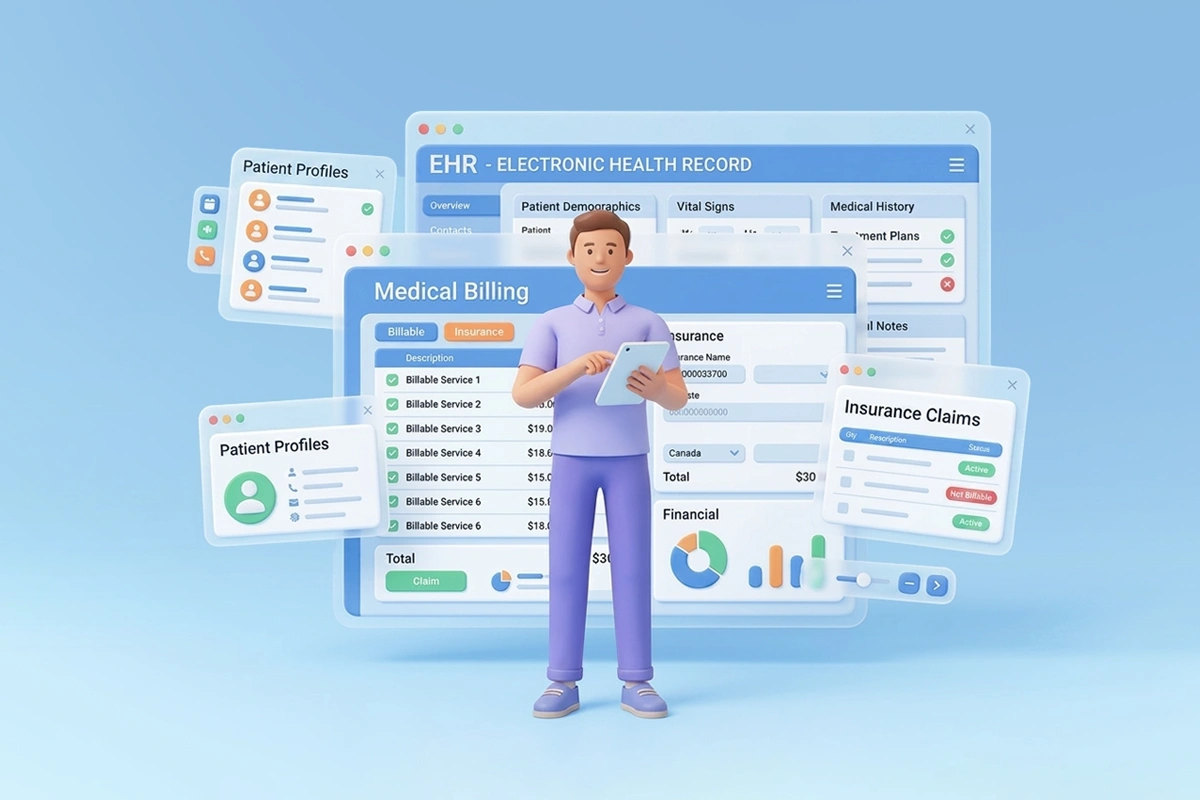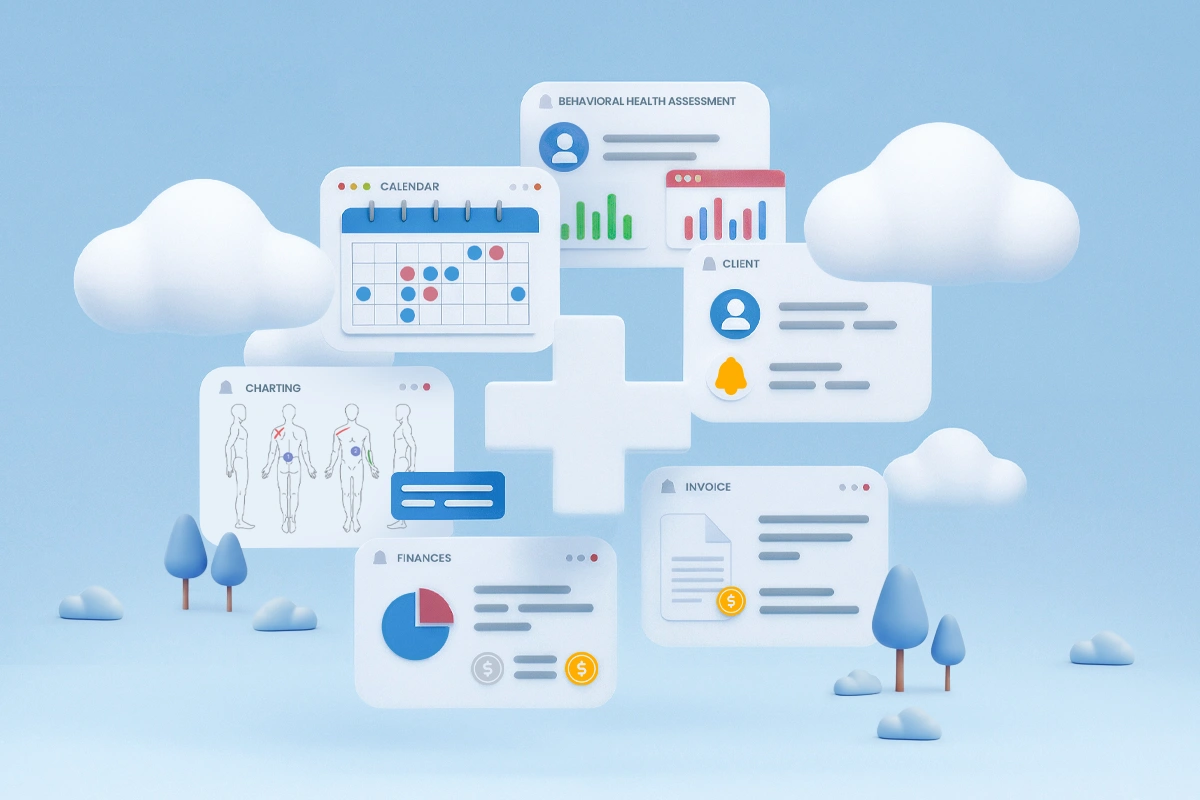
If you’ve spent any time researching clinic software, you’ve likely seen practice management system and EHR used interchangeably – sometimes by vendors, sometimes by peers, sometimes even by consultants. That overlap creates confusion where clarity matters most.
At a high level, both systems support clinics. But they do very different jobs.
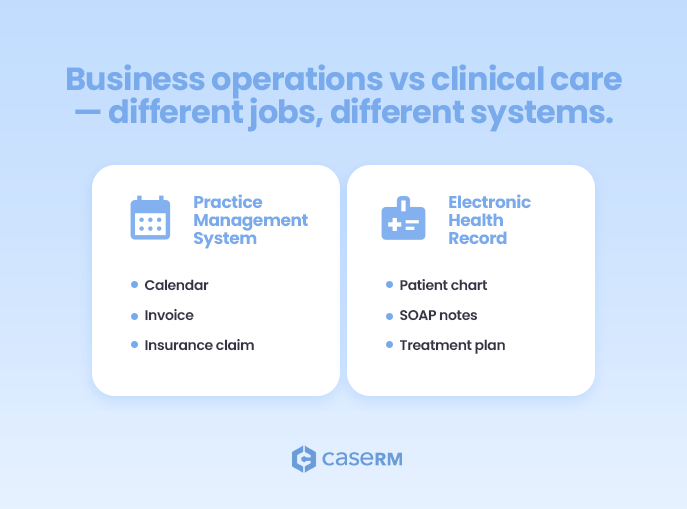
A Practice Management System (PMS) is built to run the business of a clinic. An Electronic Health Record (EHR) is built to document and support patient care.
🚀 Start your journey with CaseRM, a case-centric practice management system and EHR built around real cases.
That distinction sounds simple, yet it’s often blurred in real-world conversations. Clinics end up comparing features instead of functions, or worse, assuming one system can fully replace the other. The result is mismatched software, workarounds, and growing frustration as the practice scales.
This article breaks that confusion down properly. We’ll look at what a PMS actually does, what an EHR is really responsible for, where they overlap, and why modern clinics increasingly rely on both. Whether you’re running a solo physiotherapy practice or managing a multi-location rehab clinic, understanding this difference is foundational.
What Is a Practice Management System (PMS)? The Business Engine
A Practice Management System (PMS) is the operational backbone of your clinic. Think of it as the mission control center for all your non-clinical activities. From the moment a patient first contacts your clinic to the final payment for their services, the PMS is meticulously tracking, organizing, and managing the business side of that interaction. It’s designed to streamline administrative workflows, reduce manual errors, and ultimately, improve your clinic’s financial health and operational efficiency.
What does a PMS actually do?
At its heart, a PMS automates and optimizes the day-to-day administrative tasks that, while essential, can consume an enormous amount of time if not managed properly. It’s about ensuring that appointments are booked correctly, bills go out promptly, payments are collected on time, and your staff has the tools to manage their workload effectively. This is the system front-desk staff, office managers, and owners rely on to keep things organized and predictable.
Key Features and Functions of a PMS
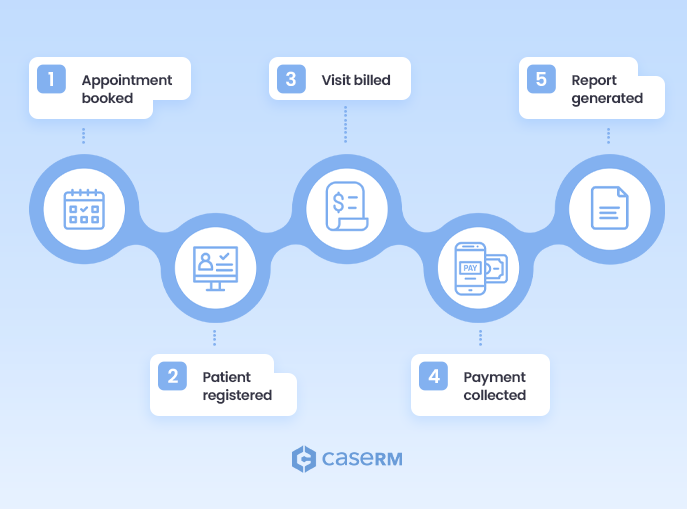
While functionalities vary by platform, a well-built PMS typically includes:
- Scheduling and Multi-Provider Calendars: This is often the most visible feature. A PMS allows patients to book appointments online, helps staff manage practitioner schedules, sends automated reminders, and handles cancellations or reschedules with ease.
- Patient Registration and Demographics: When a new patient walks in, the PMS is where their administrative data lives – contact information, insurance details, emergency and other case contacts, and preferred communication methods. This isn’t about their medical history, but rather their identity as a client of your business.
- Billing and Invoicing: This is a critical financial function. The PMS generates invoices for services rendered, applies the appropriate fee schedules, and processes payments. It supports multiple payment methods – from credit cards to insurer direct deposits – and tracks outstanding balances.
- Insurance Claim Submission and Tracking: For clinics that deal with insurance companies (and most paramedical clinics do), the PMS is invaluable. It formats and submits claims electronically, tracks their status, and manages rejections or appeals. This significantly speeds up the reimbursement process and reduces administrative burden.
- Payment Processing: Securely processing patient payments at the point of service or online is a core PMS function. It integrates with payment gateways, ensuring transactions are seamless and recorded accurately.
- Reporting and Analytics (Business Operations): A good PMS provides insights into your clinic’s financial performance and operational efficiency. You can generate reports on revenue per practitioner, no-show rates, payment collection rates, and more. These insights are vital for making strategic business decisions.
- Task Management: Some PMS systems include features for assigning and tracking administrative tasks among staff, ensuring nothing falls through the cracks – like following up on overdue payments or ordering supplies.
For paramedical clinics, these functions are not optional. High appointment volume, recurring visits, insurance billing, and multi-provider coordination make manual or fragmented systems unsustainable over time.
Who Uses a PMS in a Clinic
While the entire clinic benefits from a PMS, certain roles rely on it heavily:
- Receptionists/Administrative Staff: They are the primary users, managing schedules, registering patients, handling inquiries, and processing payments.
- Clinic Managers/Owners: They use the PMS for oversight, financial reporting, staff management, and strategic planning.
- Billing and Finance Teams: If your clinic has dedicated billing staff, they will spend most of their day within the PMS, managing claims and payments.
- Practitioners (to a limited extent): While their primary system is the EHR, practitioners might use the PMS for a quick glance at their schedule or to mark an appointment as complete.
Benefits of a Well-Run PMS
When implemented correctly, a PMS delivers tangible benefits:
- Operational Efficiency: Automates repetitive tasks and streamlines workflows, freeing up staff time for more critical patient-facing activities.
- Reduced Administrative Costs: Less manual work means fewer errors and less time spent correcting them.
- Enhanced Financial Performance: Cleaner billing, fewer missed charges, faster payments, and better cash flow.
- Better Patient Experience (Administrative): Easy online booking, timely reminders, and clear billing processes improve patient satisfaction.
- Data-Driven Decisions: Access to performance metrics allows clinic owners to make informed business choices.
- Scalability: Systems and processes that hold up as patient volume and staff grow.
In short, a PMS doesn’t improve clinical outcomes directly – but without it, even the best care delivery model struggles to function.
What Is an Electronic Health Record (EHR)? The Clinical Brain
If the PMS runs the business, the Electronic Health Record supports the thinking, documenting, and continuity of care inside the clinic.
An EHR is where patient care lives. It captures your patient’s health journey – what was assessed, what was done, how the patient responded, and how care evolves over time. For paramedical clinics, this longitudinal record is essential – not just for quality care, but for compliance, communication, and professional accountability.
What is an EHR, really?
An EHR is a digital version of a patient’s chart, but it’s far more dynamic and comprehensive than its paper predecessor. It’s a real-time, patient-centered record that makes information available instantly and securely to authorized users. Unlike a simple electronic file, an EHR is designed to be interactive, support clinical decision-making, and facilitate communication among healthcare providers. Its primary purpose is to enhance patient care quality, safety, and continuity.
Key EHR Features for Paramedical Clinics
A purpose-built EHR for paramedical services typically includes:
- Patient Charting and Notes: This is the core functionality. Practitioners record subjective (S), objective (O), assessment (A), and plan (P) notes (SOAP notes), or similar structured formats, for every patient visit. This includes initial assessments, progress notes, re-assessments, and discharge summaries. It moves beyond simple text entry, often incorporating templates with spine and body charts, check-boxes, pain scales, and note pads.
- Treatment Planning: EHRs allow practitioners to create, store, and update individualized treatment plans. For a physiotherapist, this might include specific exercises, modalities used, frequency of sessions, and short-term/long-term goals.
- Clinical Assessments and Tools: Many EHRs include built-in assessment tools relevant to paramedical fields, such as pain scales, range of motion measurements, functional outcome measures (e.g., Oswestry Disability Index, Numeric Pain Rating Scale), or posture analysis tools. This helps track progress objectively over time.
- Image and Document Attachments: Securely storing X-rays, MRI scans, photos of injuries, referral letters from GPs, or consent forms directly within the patient’s record.
- Medication Management (Limited): While not as extensive as in primary care, paramedical EHRs might track prescribed medications relevant to the patient’s condition, especially to avoid contraindications or understand overall health.
- Secure Communication: Facilitating secure messaging between practitioners within the clinic, or with referring physicians, to discuss patient care.
- Patient Education Resources: Providing patients with access to exercises, educational handouts, or information about their condition directly through a patient portal integrated with the EHR.
- Reporting and Analytics (Clinical Outcomes): Generating reports on patient progress, treatment efficacy, common diagnoses, and outcomes. This data is invaluable for research, quality improvement, and demonstrating value to referrers or funders.
For disciplines like physiotherapy, chiropractic, psychology, and physical rehabilitaion, flexibility in documentation is especially important. One-size-fits-all medical templates often don’t reflect how paramedical care is actually delivered.
The EHR’s Role in Patient Care
The EHR is the central repository that supports continuity and quality of care. It ensures that each visit builds on the last, that nothing is lost between sessions, and that every practitioner involved in a patient’s care has access to the most up-to-date and complete information, leading to:
- Improved Diagnostic Accuracy: With a comprehensive history, practitioners can make more informed assessments.
- Enhanced Treatment Consistency: Ensures that treatment plans are followed, modified as needed, and progress is tracked systematically.
- Better Patient Safety: Reduces the risk of errors related to missing information or miscommunication.
- Continuity of Care: If a patient sees different practitioners within the same clinic, or even needs to transfer care, their complete history is readily available.
- Empowered Patients: Patient portals can give individuals access to their health information, fostering greater engagement in their own care.
Benefits of a Robust EHR System
The advantages of a sophisticated EHR system are deeply rooted in the quality and efficacy of patient care:
- Superior Patient Outcomes: Better informed clinicians lead to more effective treatment plans.
- Reduced Clinical Errors: Eliminates issues associated with illegible handwriting or lost paper charts.
- Streamlined Clinical Workflows: Templated notes and quick access to information save practitioners time.
- Enhanced Communication and Collaboration: Secure sharing of information improves teamwork.
- Compliance and Risk Management: Helps meet regulatory requirements for record-keeping and data privacy.
- Data for Research and Improvement: Clinical data can be aggregated (anonymously) to identify trends, improve protocols, and contribute to research.
An EHR doesn’t run the clinic – but without it, patient care becomes fragmented, harder to track, and harder to defend.
Practice Management System vs. EHR: Head-to-Head Differences at a Glance
Let’s put them side-by-side to highlight their core distinctions:
| Practice Management System (PMS) | Electronic Health Record (EHR) | |
| Primary focus | Business operations, administration, financial health | Clinical care, patient health information, treatment outcomes |
| Core activities | Scheduling, billing, invoicing, payments, claims, reporting | Charting, treatment plans, assessments, progress notes, clinical reporting |
| Primary users | Administrative staff (front desk, billing personnel, managers), clinic owners and directors | Practitioners (physios, chiros, osteos, acupuncturists, massage therapists, etc.), clinical support staff |
| Key data | Patient demographics, insurance info, financial transactions, appointments | Clinical history, diagnoses, treatment notes, test results, progress notes |
| Goal | Optimize clinic efficiency, maximize revenue, streamline admin | Improve patient care quality, enhance safety, ensure continuity of care |
| Interaction with patient | Administrative (booking, billing, reminders) | Clinical (assessment, treatment, education) |
| Key risk if used alone | Poor clinical documentation and care continuity | Operational friction and billing inefficiencies |
| Regulatory compliance | Financial and operational compliance | Clinical, documentation, and regulatory compliance |
PMS and EHR Integration: The Modern Standard
In the early days of practice software, clinics often had two entirely separate systems: one for managing appointments and billing (PMS) and another for clinical documentation (EHR). This created a constant need for double data entry, opportunities for errors, and a fragmented view of both the patient and the practice. Today, that approach is largely outdated. The modern standard, and indeed the expectation, is for a seamlessly integrated PMS and EHR system.
What an Integrated PMS + EHR Looks Like
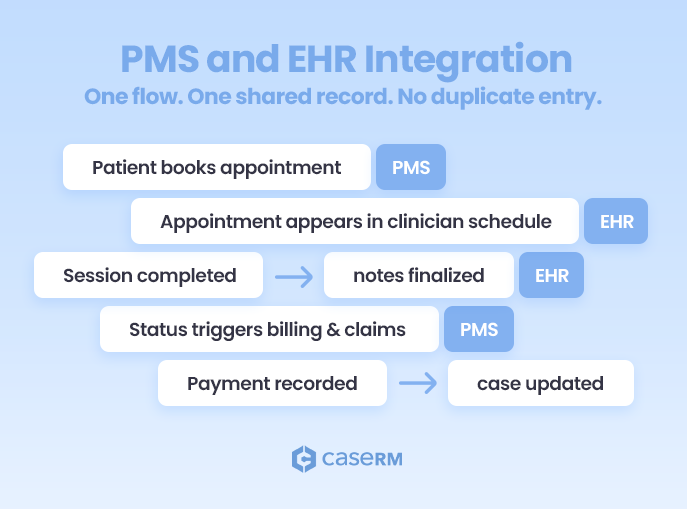
An integrated system brings both sides together in a unified platform where administrative and clinical workflows communicate seamlessly. Patient information is entered once and shared across scheduling, billing, and documentation. When a patient’s appointment is booked in the scheduling module (the PMS side), that information is immediately available to the practitioner in the EHR, ready for them to open the patient’s chart. Once a provider completes a session and finalizes their clinical notes in the EHR, the system automatically signals the front desk that the appointment is ready for billing or insurance claim processing in the PMS.
Integration doesn’t mean everything becomes one indistinguishable screen. The best systems preserve clear boundaries: the PMS handles operations, the EHR supports patient care, and data moves between them only where it adds value.
Picture a patient portal where patients can book their own appointments, update their demographic information, and view their exercise plans or treatment notes – all through a single login. That’s the practical impact of integration. Data flows accurately between business and clinical functions, giving clinics a complete view of each patient’s journey, from first contact through follow-up care and final payment.
Why Most Clinics Eventually Need Both
While a very small, nascent solo practice might initially get by with rudimentary tools for each function, any clinic aspiring for growth, efficiency, and professional service will eventually need both.
- Eliminate Double Data Entry: This is perhaps the biggest time-saver and error-reducer. No more manually transferring patient details from one system to another.
- Streamlined Workflows: From booking to billing, the entire process becomes smoother and faster. Staff spend less time on administrative tasks and more time on patient care or higher-value activities.
- Enhanced Data Accuracy: With a single source of truth, the risk of discrepancies between clinical and administrative records is drastically reduced.
- Improved Patient Experience: A seamless experience for the patient, from online booking to accessing their records and paying their bills, reflects positively on your practice’s professionalism.
- Comprehensive Reporting: Integrated systems can provide richer insights, combining clinical outcomes with financial data to show the true impact of your services. For example, you can see the revenue generated per successful treatment plan.
- Better Compliance and Security: Managing data within a single, secure system often simplifies compliance with privacy regulations like PIPEDA, HIPAA, or GDPR, as there are fewer points of vulnerability.
What to Watch Out For When Choosing a System
When evaluating integrated systems, don’t just take the “integrated” claim at face value. Dig deeper:
- True Integration vs. Loose Connection: Some vendors might claim integration, but it’s really just two separate systems with a flimsy bridge between them, requiring manual syncing or opening multiple tabs. Look for genuine, seamless data flow.
- User Interface and Experience: The system should be intuitive for both administrative staff and practitioners. A clunky interface can negate all the benefits of integration.
- Customization: Can you tailor documentation templates to include all required charting elements, and adapt reports to match your specialty and clinic workflows?
- Scalability: Will the system grow with your practice, accommodating more practitioners, locations, or services?
- Support and Training: A powerful system is useless if your team can’t use it effectively. Look for robust customer support and comprehensive training resources.
- Cost Structure: Understand the pricing model – per user, per feature, or tiered. Hidden fees can quickly inflate the total cost.
When PMS and EHR systems are chosen with structure in mind—and allowed to do what each does best – clinics gain something far more valuable than convenience. They gain systems that support how the practice actually works, today and as it grows.
Who Needs What? Choosing the Right System for Your Practice
There’s no universal answer to which system a clinic should adopt. The right setup depends on how your practice operates today — and how you expect it to evolve over time.
Clinic size, specialty, billing complexity, team structure, budget, and future goals all influence whether a clinic can get by with basic tools or needs a fully integrated PMS and EHR. The key is choosing systems that support your current reality without boxing you in as the practice grows.
Considerations for Solo Practitioners and Small Clinics
For a solo practitioner or a very small clinic with limited staff, the choice often comes down to balancing cost with functionality.
- Initial Thought: “I can manage with spreadsheets for billing and paper notes.” While tempting due to zero upfront cost, this quickly becomes unsustainable and risky.
- Realistic Start: A fully integrated, cloud-based solution is often the most sensible choice, even for solo practitioners. Many modern systems are designed to be affordable and scalable for small practices. The time saved on administrative tasks (which the solo practitioner would otherwise do themselves) far outweighs the subscription cost.
- Why Integrated? As a solo practitioner, you are the administrative staff and the clinician. You need a system that minimizes context switching and keeps all information in one place. Imagine finishing a session and having the invoice automatically generated; this is invaluable time saved.
- Key Needs: Easy scheduling, simple billing, secure and quick chart note templates, and basic reporting.
Considerations for Medium to Large Practices
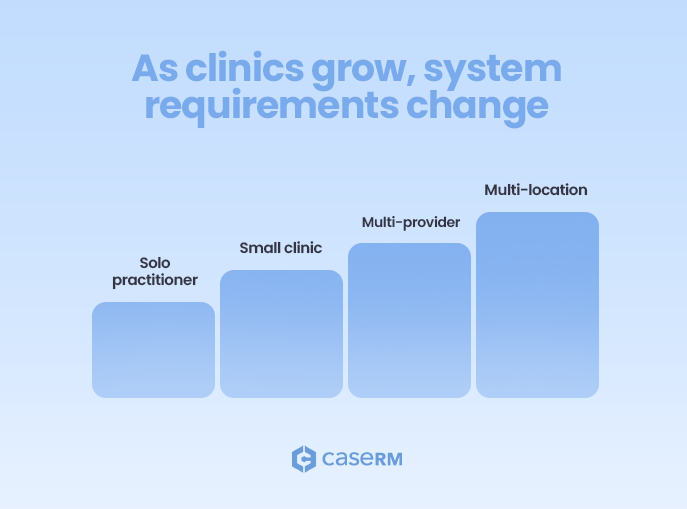
As clinics grow by adding providers, disciplines, or locations, operational complexity increases rapidly. Scheduling becomes multi-layered, billing workflows grow more demanding, and maintaining consistent documentation is harder without clear structure. With multiple practitioners and administrative staff to coordinate, a robust, well-integrated system becomes essential rather than a nice-to-have.
- Integrated is Essential: For medium to large practices, an integrated PMS and EHR system is no longer a luxury; it’s a necessity. The complexities of managing schedules for multiple practitioners, handling diverse billing scenarios, ensuring consistent clinical documentation, and tracking performance across the organization demand a unified platform.
- Advanced Features: Look for features like multi-location management, advanced reporting and analytics (both business and clinical), task delegation, internal messaging, and sophisticated patient engagement tools (e.g., patient portals with secure messaging and online forms).
- Scalability and Customization: The chosen system must be able to scale with your growth and offer sufficient customization options to adapt to your specific workflows and branding.
- Security and Compliance: Larger practices handle more sensitive data and face greater scrutiny, making role-based access, standardized workflows, and reporting that connects care delivered to revenue generated essential for staying compliant and efficient as the practice grows.
Specialty-Specific Needs
Paramedical clinics have unique requirements that generic medical software might not address adequately.
- Physiotherapy/Physical Therapy: Needs include advanced charting for musculoskeletal assessments (range of motion, muscle strength), exercise prescription modules, functional outcome measures (e.g., DASH, LEFS), and often integrates with specific rehab equipment.
- Chiropractic: Requires specialized charting for spinal adjustments, posture analysis tools, nerve charts, and sometimes integration with X-ray viewers.
- Osteopathy: Focuses on holistic assessment, so charting needs to accommodate detailed palpation findings, cranial sacral therapy notes, and visceral manipulation techniques.
- Podiatry: Needs specific charting for foot conditions, wound care, orthotic prescriptions, and sometimes image management for foot scans.
- Acupuncture/Massage Therapy: Requires charting for specific points, meridian theory, body maps, and tracking treatment sequences.
When evaluating systems, prioritize those that offer templates, features, and integrations designed specifically for your paramedical specialty. A general EHR may handle basic SOAP charting, but it won’t optimize your clinical workflows or capture the nuances of how your practice actually operates.
Common Mistakes Clinics Make When Comparing PMS vs EHR
The journey to finding the right software is often filled with potential missteps. Understanding where clinics commonly go wrong can help you avoid decisions that look good in a demo but create friction in day-to-day operations.
- Failing to Understand the Core Distinction: The most common mistake is not fully grasping that PMS and EHR systems serve different purposes. This often results in choosing software that performs well in one area but creates serious gaps and workflow bottlenecks in the other.
- Prioritizing Price Over Value: Choosing the cheapest option without evaluating features, integration, and scalability frequently leads to buyer’s remorse. Software that saves time, reduces errors, and supports patient care is an investment, not just an expense.
- Ignoring Integration Requirements: Opting for disconnected PMS and EHR systems to save a few dollars is a false economy. Double data entry, higher error rates, and fragmented visibility quickly outweigh any short-term cost savings.
- Chasing AI Hype Instead of Core Functionality: AI features are only as effective as the underlying system. If scheduling, billing, or documentation workflows are weak or cumbersome, AI adds little value and often amplifies existing frustrations rather than solving them.
- Not Involving Key Stakeholders: Software decisions made without input from front-desk staff and clinicians often fail in practice. Their day-to-day experience is critical, and their buy-in is essential for successful adoption.
- Focusing Only on Current Needs: A system that works today may not support your clinic in three to five years. Scalability, flexibility, and the vendor’s long-term roadmap should factor into every decision.
- Underestimating Training Needs: Even strong software fails without proper training. Clinics often budget for licenses but overlook the time and support required to ensure staff use the system effectively.
- Neglecting Data Security and Compliance: Handling patient data requires rigorous security and compliance. Failing to assess a vendor’s safeguards and alignment with PIPEDA, HIPAA, and GDPR can expose clinics to serious legal and operational risks.
- Overlooking Customer Support: When issues arise, responsive and knowledgeable support matters. Poor vendor support can quickly turn minor problems into major disruptions.
Final Takeaway: It’s Not PMS or EHR — It’s PMS and EHR
If there’s one overarching message to take from this discussion, it’s this: for any serious paramedical practice, it’s not a question of choosing either a Practice Management System or an Electronic Health Record system. The modern, efficient, and patient-centered clinic needs both.
Think of it as two sides of the same coin, two halves of a whole. Your PMS keeps your business financially healthy and operationally smooth, ensuring the clinic doors stay open and your team is well-supported. Your EHR empowers your practitioners to deliver the highest quality of care, meticulously track patient progress, and contribute to better health outcomes.
When these two powerful components are seamlessly integrated into a single solution, you unlock a synergy that transforms your practice. You move from fragmented processes and potential errors to streamlined workflows, enhanced communication, accurate data, and ultimately, a superior experience for both your staff and your patients. Invest wisely in a comprehensive solution that serves both your business engine and your clinical brain, and watch your practice thrive.
FAQs
Do physio clinics need an EHR?
Absolutely. While an EHR may not be mandatory in many situations, physiotherapy clinics are still responsible for maintaining accurate, secure patient records. An EHR provides the structure needed for clinical documentation, supports treatment plans, and helps track patient progress over time. It also enables continuity of patient care and secure information sharing with other healthcare providers as clinics grow in volume and complexity.
Does using separate PMS and EHR systems increase costs?
Often, yes. Using separate PMS and EHR systems can increase both direct and indirect costs. Beyond paying for two subscriptions, clinics frequently face higher operational costs due to duplicate data entry, as staff must manually enter patient information into multiple systems. This raises the risk of errors in patient records, disrupts workflows, and limits visibility across the practice. In contrast, an integrated system, while potentially carrying a higher single subscription fee, often delivers greater overall cost savings through improved efficiency and reduced errors.
What should clinics look for in an integrated PMS and EHR system?
Clinics should prioritize an integrated system with specialty-specific templates and workflows that allow clinical data to move seamlessly between practitioners, the front-desk, and billing without manual steps. It should support scheduling, insurance claim processing, and reporting, while remaining easy to use. Strong compliance with PIPEDA, HIPAA, and GDPR is essential to protect health information, and patient engagement tools such as a patient portal should enable booking, forms, and access to health information.
What risks should clinics consider before choosing a PMS or EHR?
Several risks need careful consideration:
- Data Security Breaches: Systems with weak security can expose patient data, leading to privacy violations and legal consequences.
- Vendor Lock-in: Make sure you can export your data easily if you ever need to change vendors.
- Hidden Costs: Setup fees, training, add-on features, and ongoing support can increase total cost.
- Poor User Adoption: If the system is difficult to use or poorly implemented, staff may resist it, undermining its value.
- Lack of Scalability: Software that can’t grow with your practice will eventually become a bottleneck.
- Unreliable Support: Weak customer support can leave your clinic stuck when problems arise.
- Non-Compliance: Choosing a system that doesn’t meet regulatory requirements can result in fines and legal exposure.
- Disruption During Transition: Switching systems always involves adjustment; proper training and rollout planning are essential.